Expenses
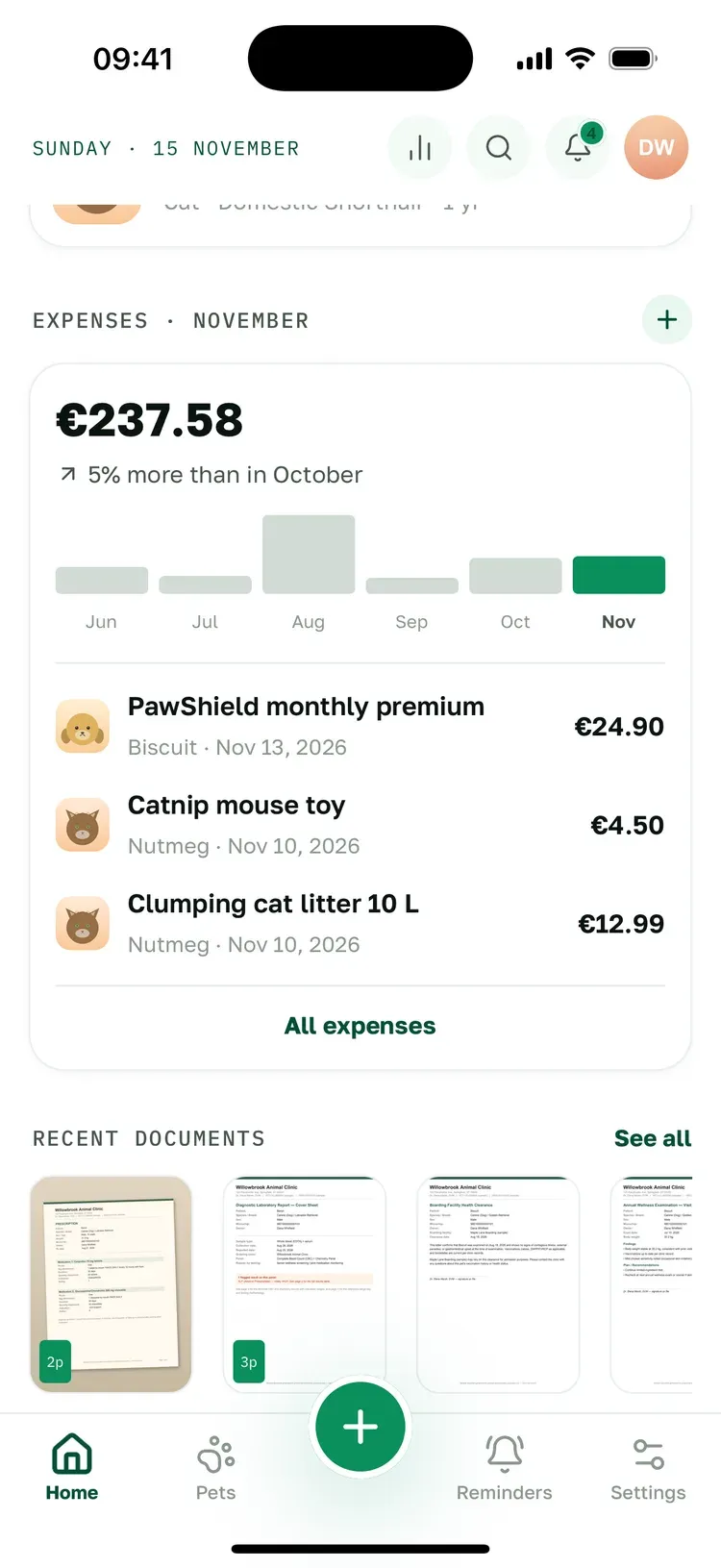
Know what your pet really costs.
Food, vet visits, grooming and the little things add up. Snap the receipt or add a cost by hand and EverPet keeps every pet's spending in one tidy place.


Receipt scan
Snap a receipt. Keep only what was for your pet.
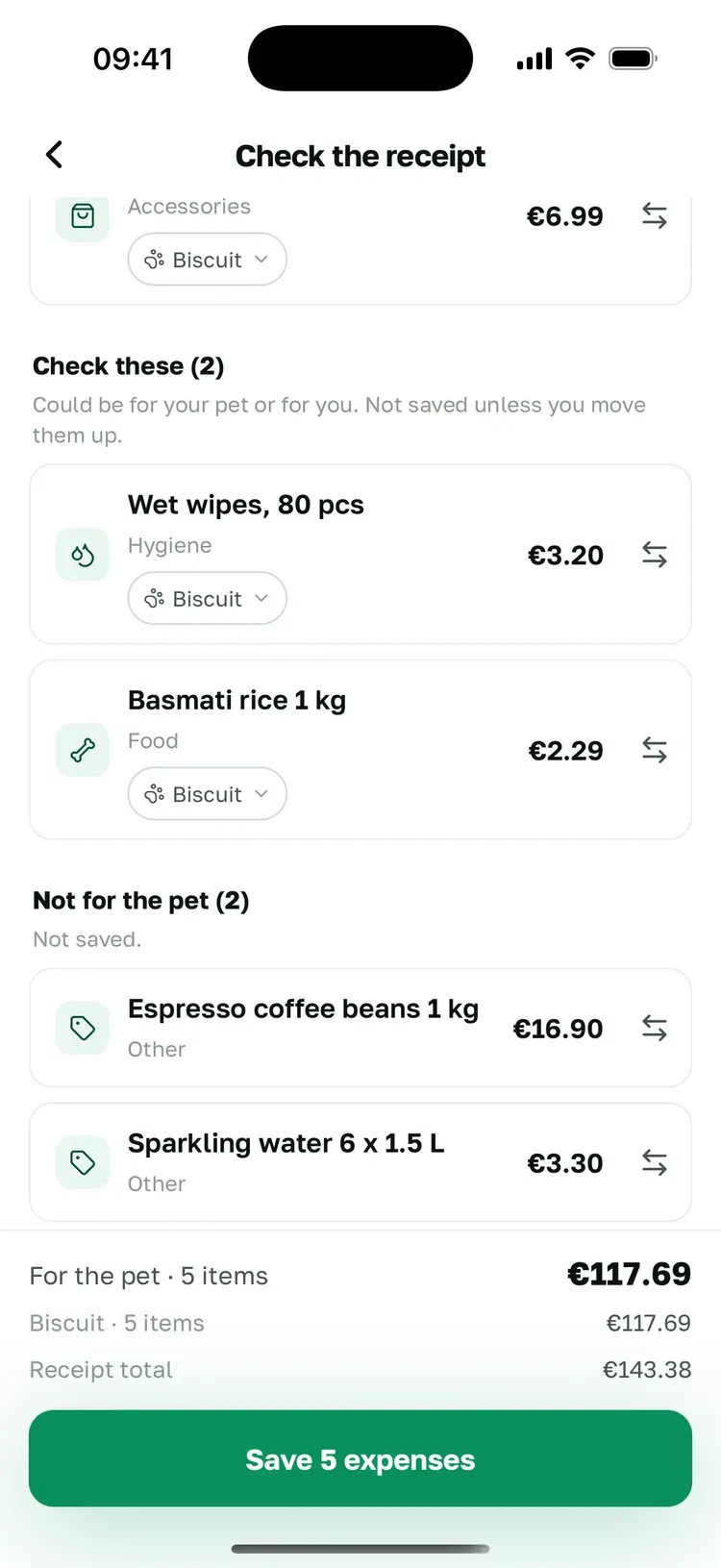
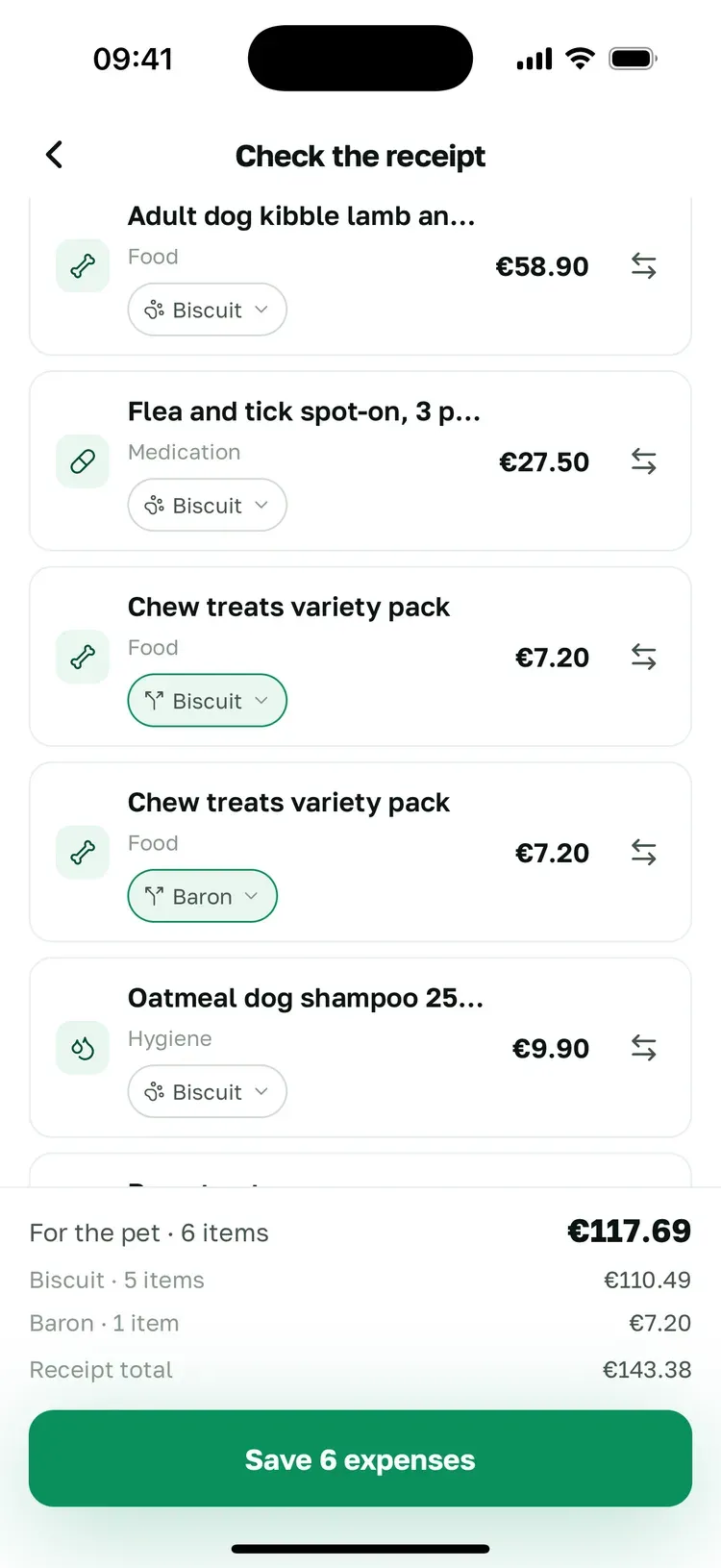
Scan a paper receipt, pick a photo or add a PDF from an online order. AI reads it line by line and sorts each item into for your pet, maybe or not for your pet. You check the list, move anything that landed in the wrong place and save. Nothing is added until you say so.
Shopping for the whole household? The groceries stay out of your pet's numbers.
More than one pet
One receipt, every pet gets their share.
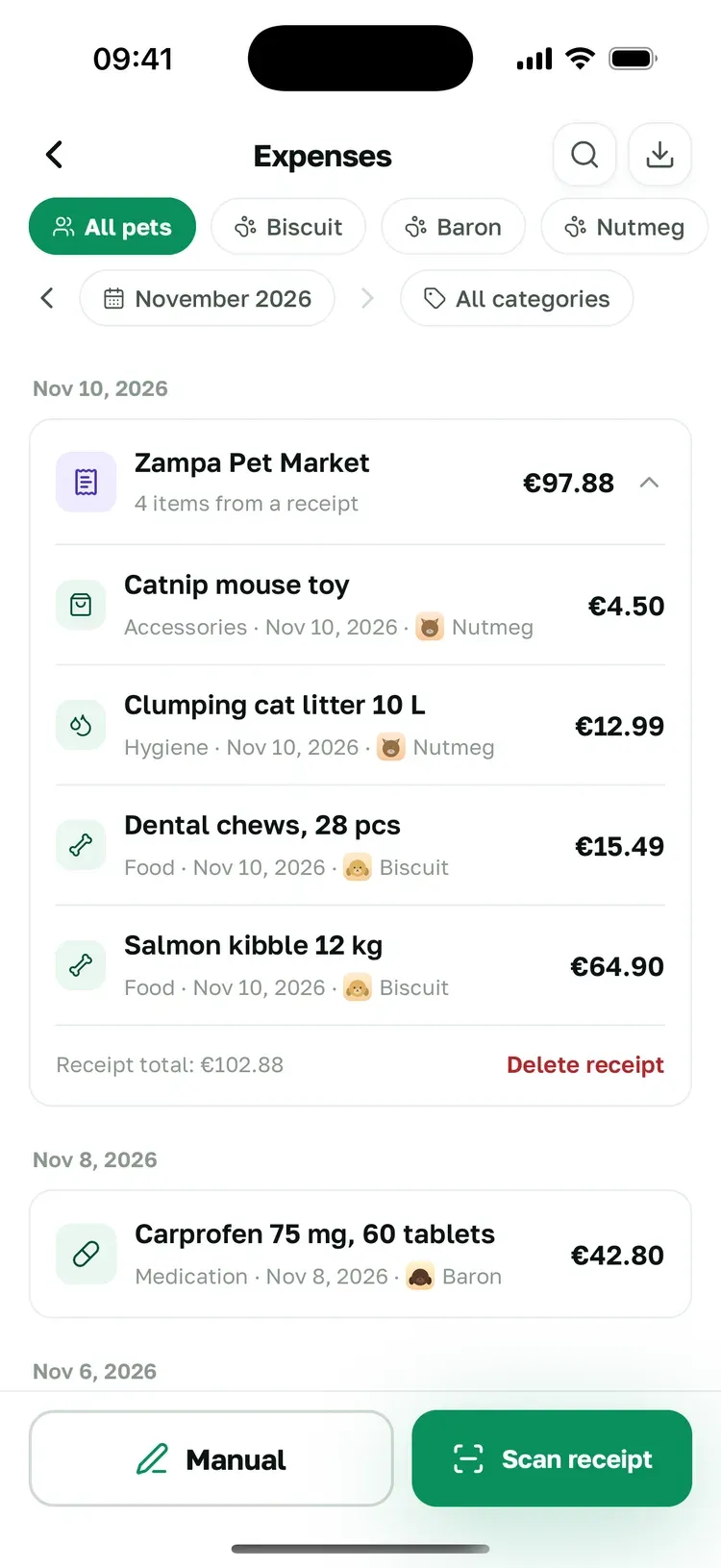
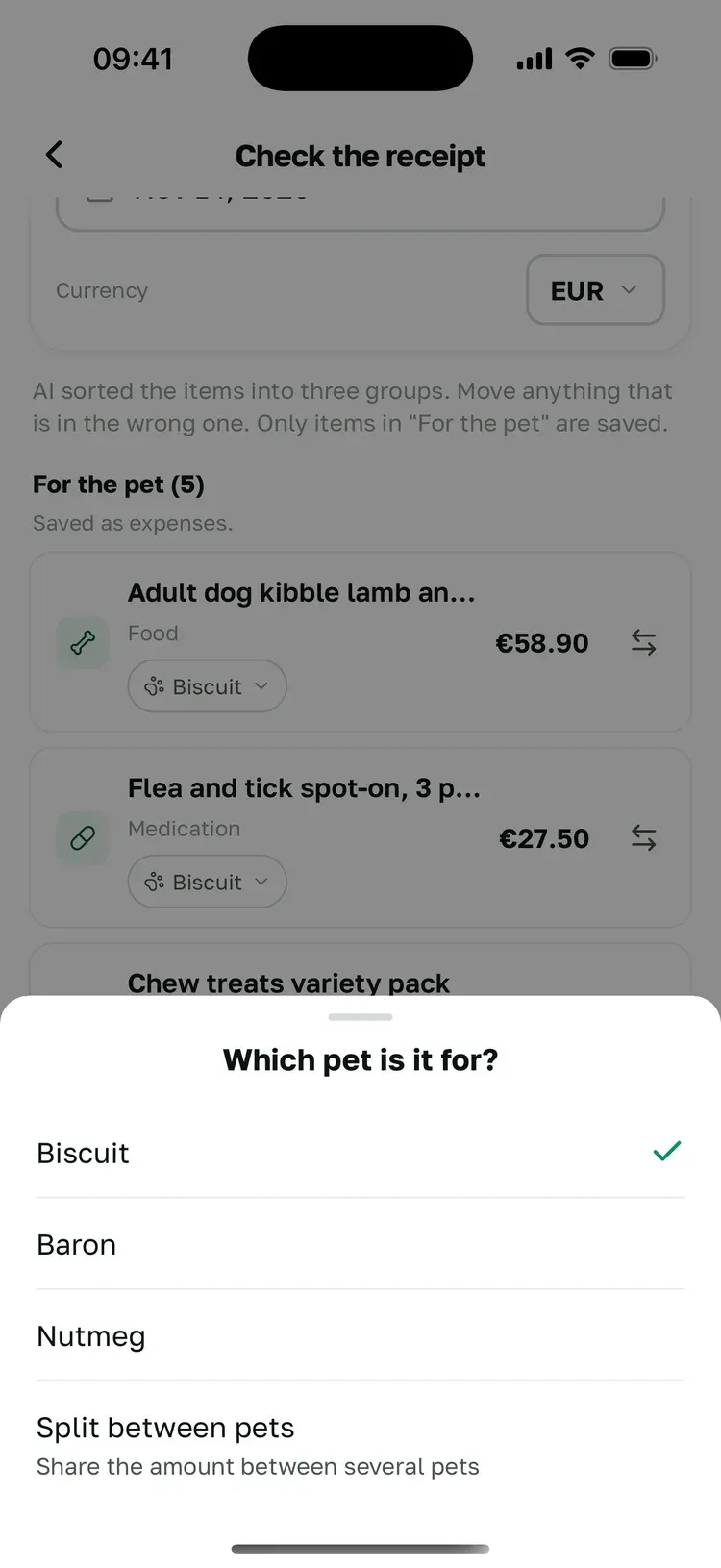
A big bag of food for two cats or one vet bill for the whole family. Give each line to the right pet or split a cost between them in a couple of taps.
A pet on every line
Each item on a receipt can belong to a different pet. Change it with one tap, before or after you save.
Split a shared cost
Divide one expense between pets. Each pet's total stays right.
On every pet's page
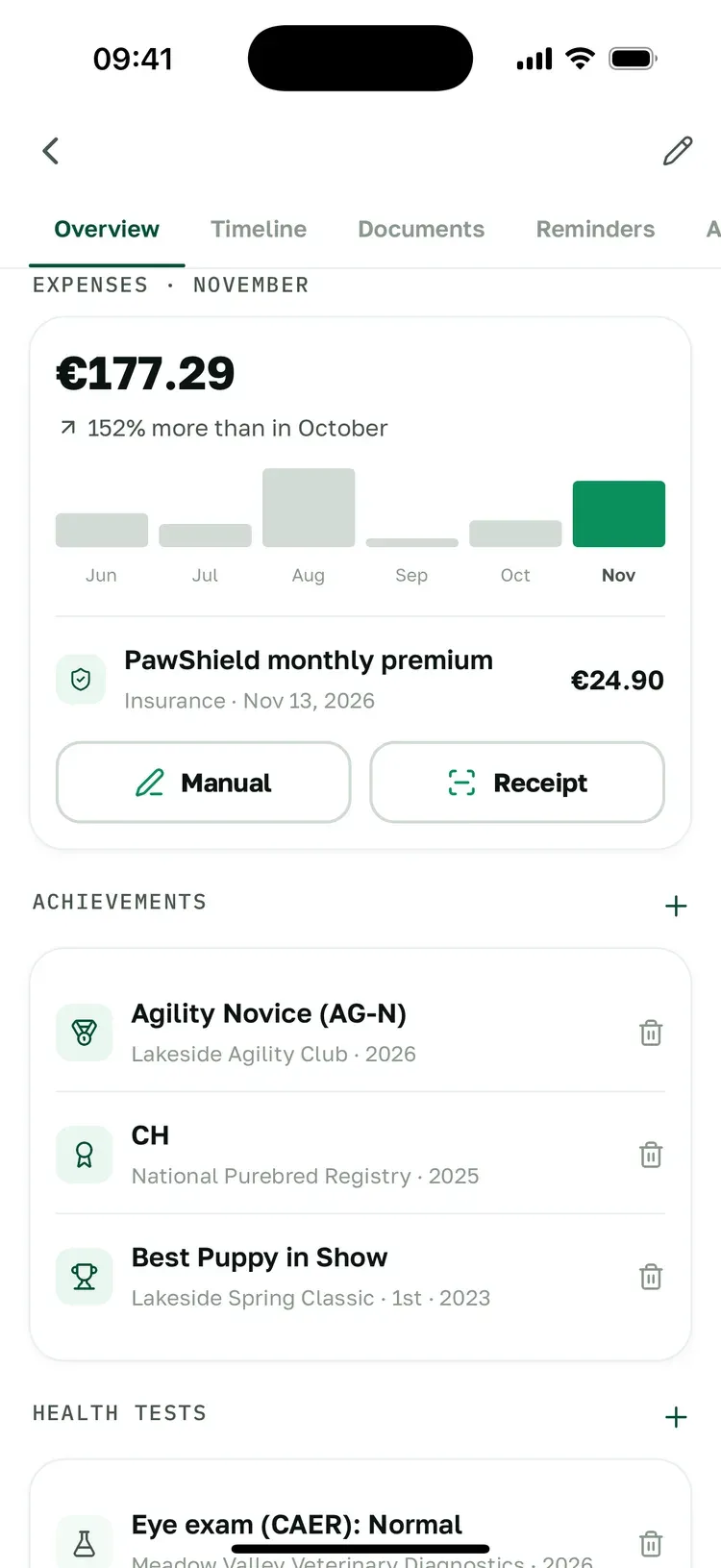
Each pet's Overview shows this month's spending, a small trend and buttons to add an expense or a receipt.
Where the money goes
See the month at a glance.
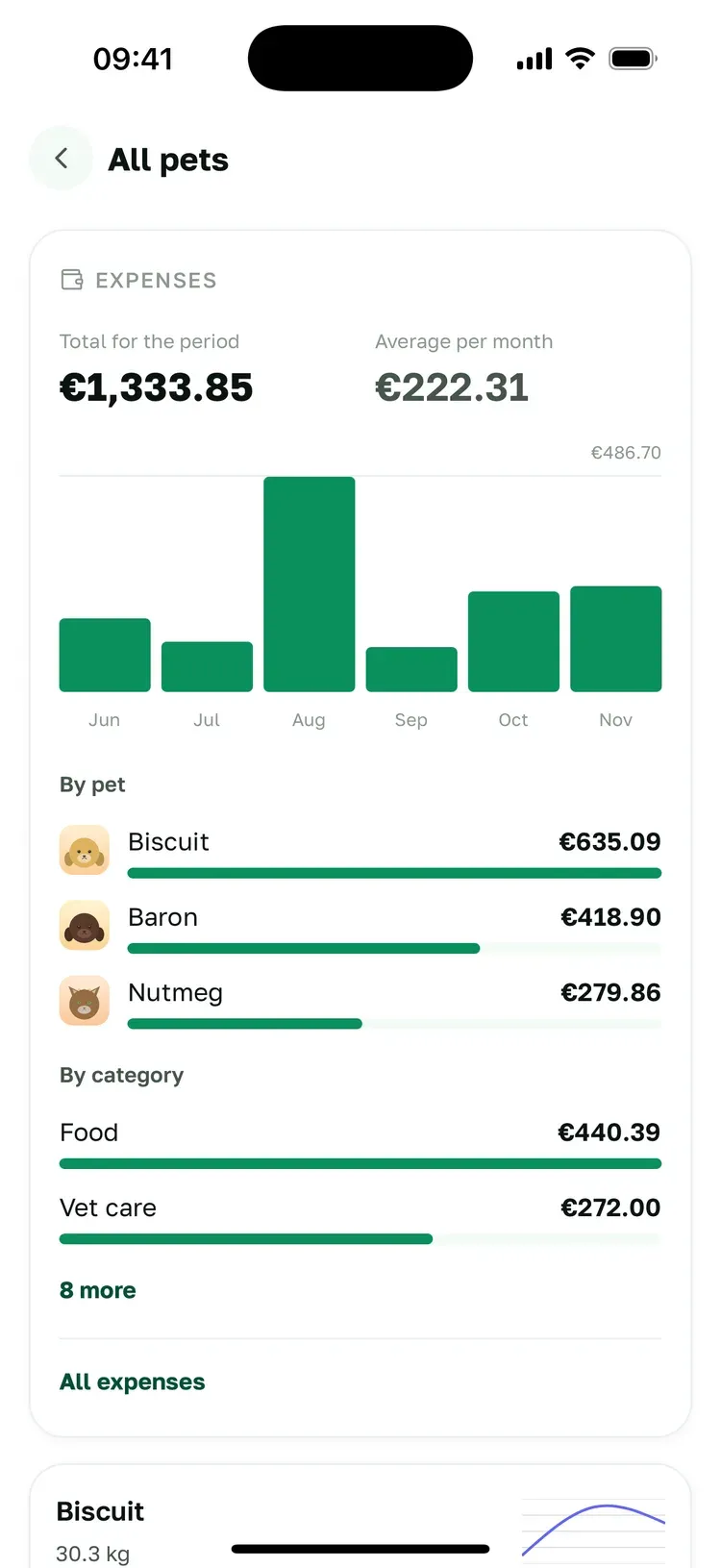
Monthly bars and a category breakdown show what each pet costs and what changed. A small widget on your Home screen keeps this month's total in view.
Ready categories and your own
Food, vet, insurance, grooming, training, travel and more. Name your own category when none fits.
Most currencies
Pick the currency you pay in. Amounts are kept exactly as entered.
Your data in a file
Export your expenses to CSV whenever you like, for a spreadsheet or your own records.
On the timeline if you want
Add a vet visit or a new harness to your pet's timeline when you save it. The amount stays private to Expenses.
For breeders
Kennel and litter costs in the same flow.
Breeder accounts scan receipts straight into kennel or litter expenses, so the litter's numbers stay complete without retyping a single line.
EverPet for breeders →Questions
Does scanning a receipt cost anything?
Adding expenses by hand is always included. Reading a receipt with AI uses AI credits from your plan, and you see the cost before you scan.
What happens to the receipt photo?
It stays with the expense so you can open it again, for a refund, a warranty or an insurance claim. Delete the receipt and the photo goes with it.
What does the AI see?
Only the receipt itself, the app language and your currency. Your pet's name and the rest of your account are not sent.
Will my family see what I spend?
Only if you share the expenses category with them. It is off by default, and you can turn it off again any time.
Start with your next receipt.
Also available inEnglish · Deutsch · Español · Français · Italiano · Українська