
Documents
Stored durably, versioned, organized by pet and type.
What actually happens to a document after you upload it — the mechanics, in order, with nothing hidden. Uploading is free; AI parsing is a separate, optional step.
Upload mechanics
Three steps, then it's filed.
Camera, gallery or files
Photograph it on the spot, or pick a PDF the clinic emailed you.
Pick the pet and the type
Two taps. That's what makes it findable later, by pet or by document type.
Saved with a thumbnail
It appears in the pet's list and in the cross-pet library, original intact.
Parsing with AI is a separate step
Uploading is free. Parsing is optional, credit-based, and never automatic.
How parsing works →One library
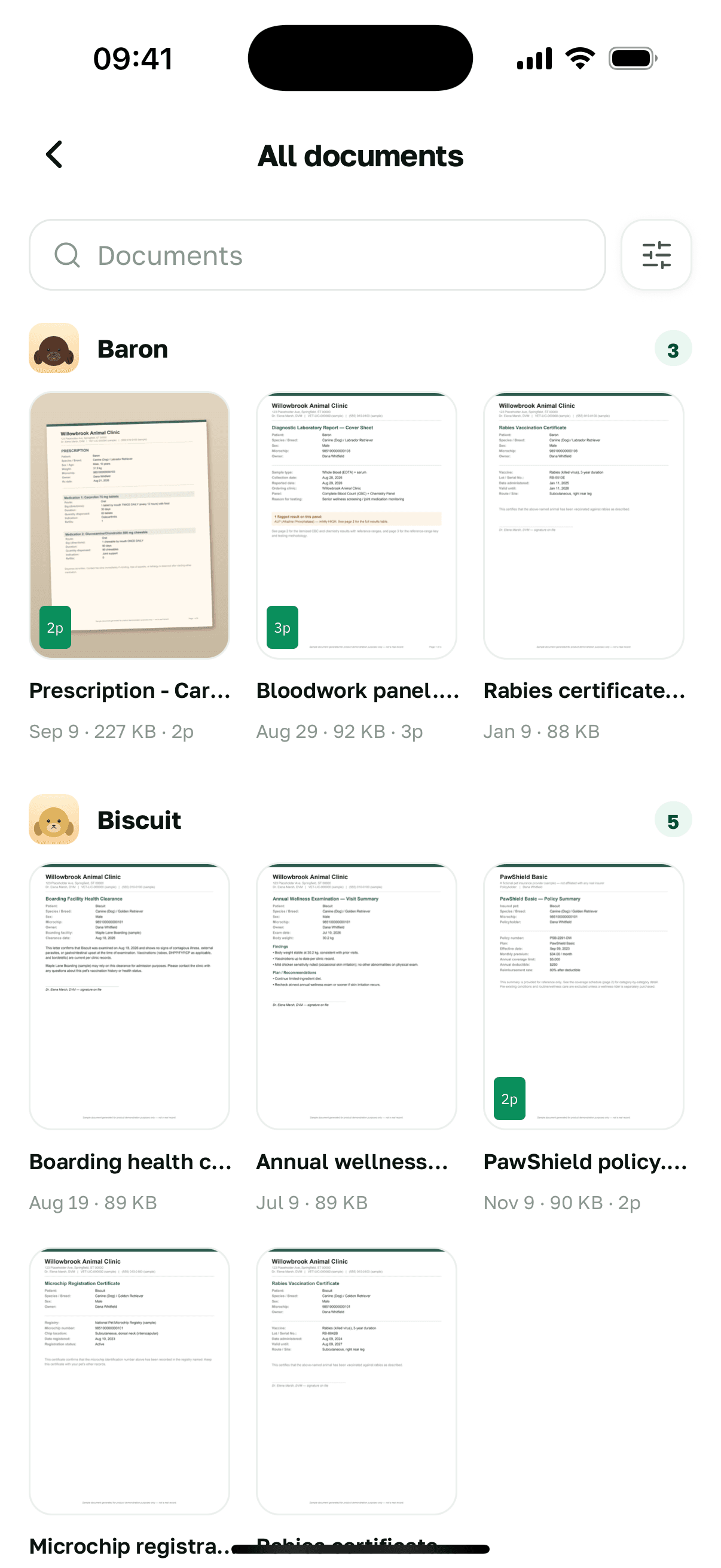
Every document, every pet, one place to look.
Filter by pet or by type. Three dogs and four years of paperwork stay one scroll, not four folders.
The viewer
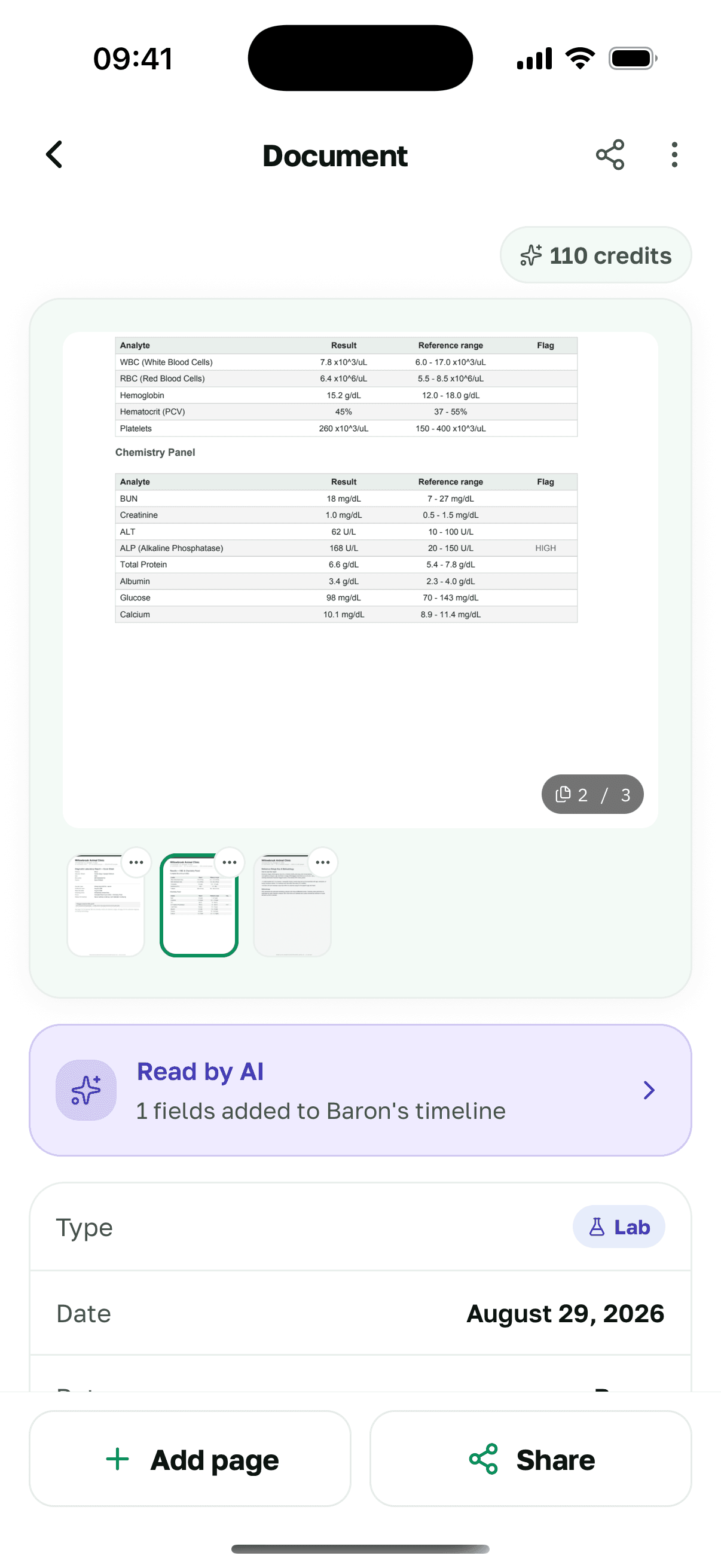
A real document viewer, not a thumbnail.
Multi-page lab reports open page by page, with a thumbnail strip and the metadata you filed it under. The original file is always what you're looking at.
Sharing
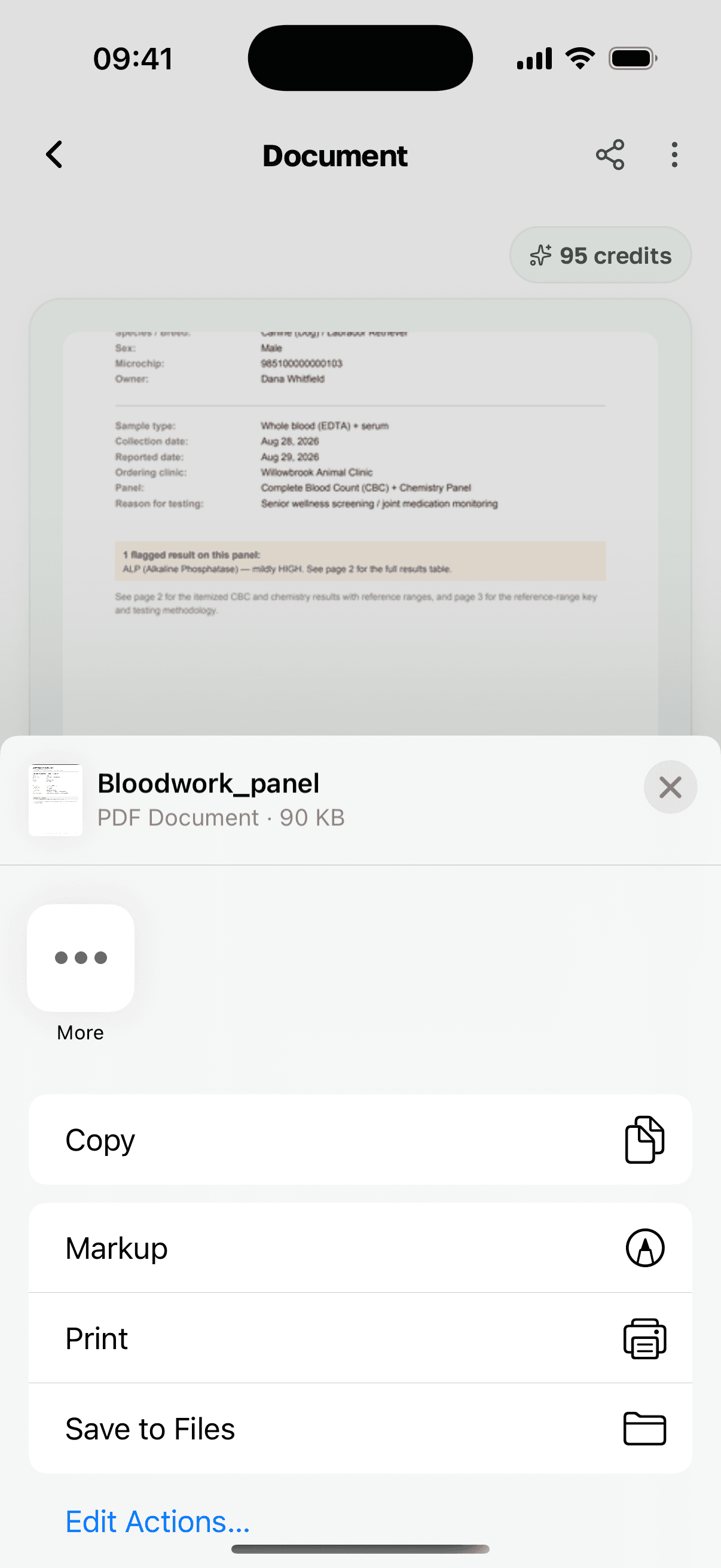
Hand your vet the record — no re-uploading, no printing.
Export a document as a PDF into the system share sheet: email it, message it, drop it into whatever the clinic uses.
Storage per plan
Stated plainly, capped honestly.
No tier has unlimited storage. Here's what each one holds.
Over-limit items on a downgrade are locked, never deleted.
Compare the plans →Upload one document and see where it lands.


Також доступноEnglish · Deutsch · Español · Français · Italiano · Українська