
How to digitize a pile of vet paperwork in 20 minutes
The drawer of vaccination cards and clinic printouts is a one-evening job, not a project. Here is the order that makes it fast.
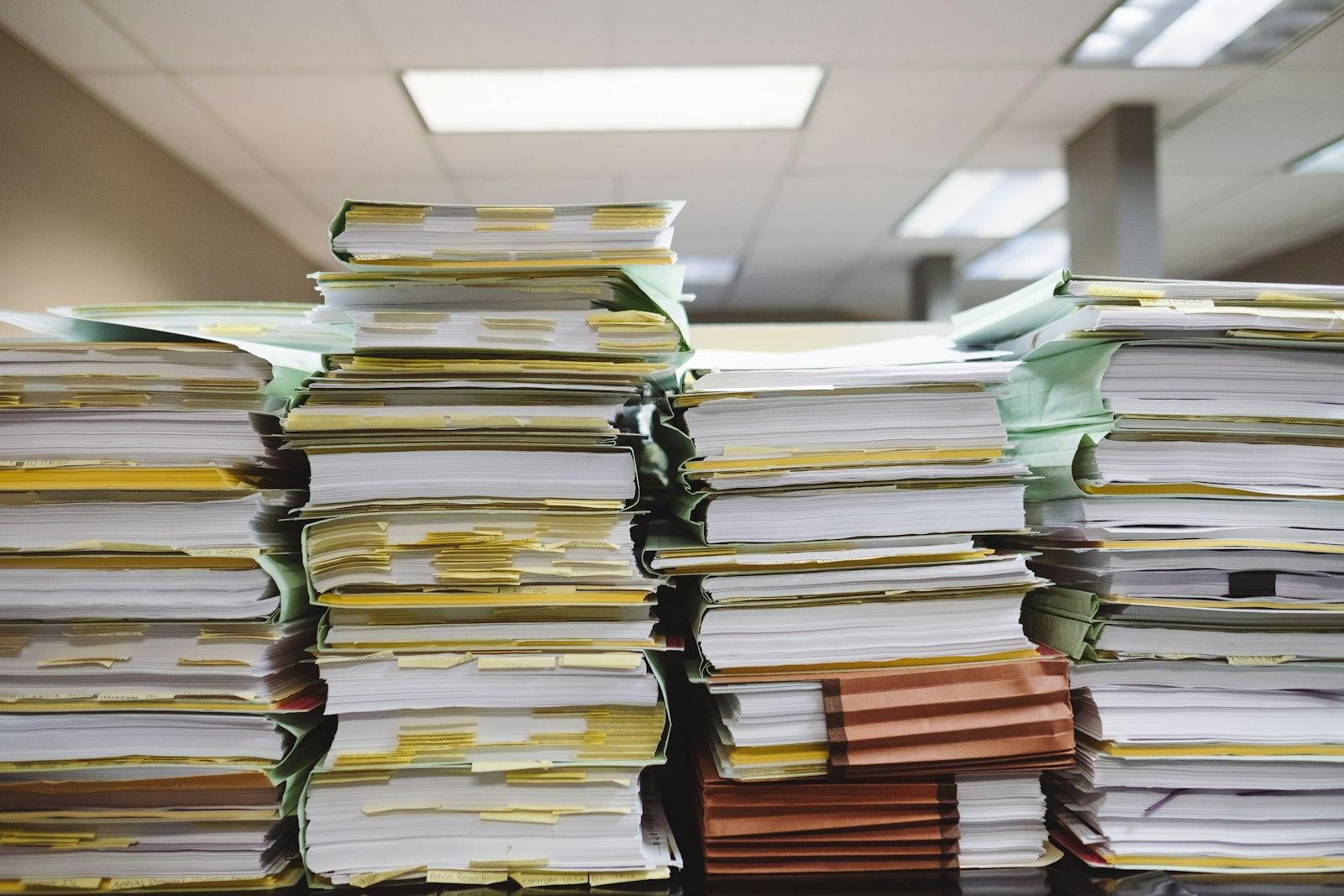
Most people do not have a filing problem. They have a drawer. Vaccination cards, a folded lab report, two clinic printouts from a visit nobody remembers clearly and an insurance policy that arrived by email in 2023 and has not been opened since.
The job of turning that into something you can actually find is smaller than it looks — if you do it in the right order and resist the urge to read everything on the way through. Twenty minutes, one sitting, one pet at a time.
First, decide what is actually worth keeping
Not everything in the drawer is a record. Sort into three piles, quickly, without reading:
- Keep and digitize. Vaccination cards and certificates, lab results, discharge notes and visit
- Keep on paper only. Originals you are legally expected to carry or present — a pet passport,
- Recycle. Appointment cards for appointments that already happened, duplicate receipts,
The first pile is usually a third of the drawer. That is the twenty-minute job.
Sort by pet, then by type
If you have more than one animal, split the keep-pile by pet before you photograph anything. Switching context between animals is what makes this slow and it is also where filing mistakes happen — a booster recorded against the wrong dog is worse than a booster recorded nowhere.
Within each pet, group by document type: vaccination, lab result, prescription, visit summary, insurance, other. You are not organizing a library here. You are pre-answering the two questions you will ask later: *whose is this* and *what kind of thing is it*.
Photograph it where it lies
Do not scan. A phone camera on a kitchen table, in daylight, is good enough for every document in that pile and the difference between a scanner and a table is roughly nineteen of your twenty minutes.
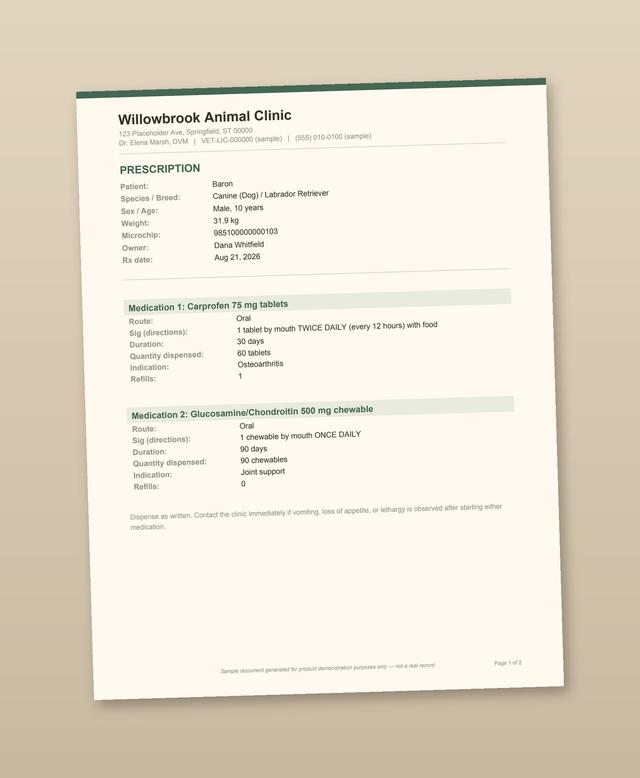
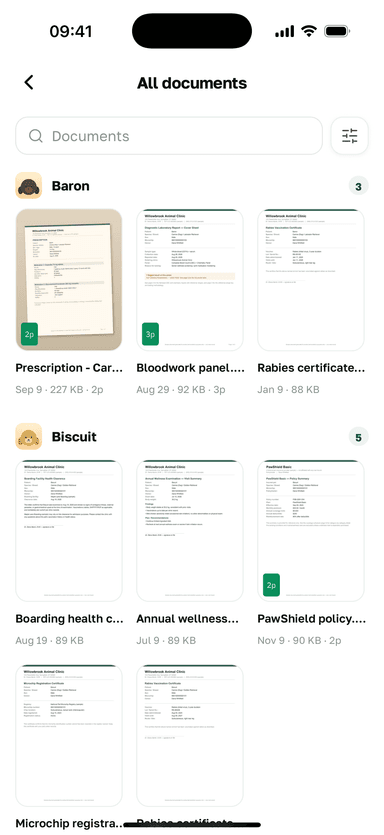
In EverPet the capture loop is three steps and does not change between document types. You start from the camera, the gallery or a file the clinic emailed you. You pick the pet and the document type — two taps and the only part that matters, because that is what makes the document findable later. Then it is saved with a thumbnail, appearing both in that pet's list and in the cross-pet library, with the original file intact and versioned rather than overwritten.
Multi-page documents stay multi-page: a three-page lab report opens page by page in the viewer, with the metadata you filed it under next to it. The storage mechanics — versioning, the cross-pet library, what each plan holds — are laid out in full on the documents page.
One practical note: capture needs a connection. EverPet is online-first and an upload is a real upload to storage, not a local copy that syncs later. Do this on wi-fi at the kitchen table, not on a train.
Skip the clever part on the first pass
There is an optional step after a document is stored: spending AI credits to have it parsed into structured fields — a medication and its schedule, a vaccine and its date, a policy and its renewal. It is genuinely useful and it is also the thing that will turn a twenty-minute session into a two-hour one if you start doing it document by document while the pile is still in front of you.
Upload never triggers a parse and never spends a credit on its own. Get the pile stored first. Parse the three or four documents that actually have dates you care about afterwards, when the drawer is empty and you are not working against a stack.
Storage, stated honestly
Every plan has a storage cap. Free holds 700 MB, Starter 2 GB, Pro 5 GB, Breeder 10 GB. No tier is uncapped and nobody should tell you otherwise.
For context: photographed documents are small. A drawer's worth of vaccination cards and clinic printouts for one dog, photographed at normal phone quality, is a modest fraction of the free tier. What fills storage is video and high-resolution scans of things that did not need scanning.
If you later drop to a smaller plan, items over the new cap are locked, not deleted and they come back when you upgrade again. That is worth knowing before you start, because it removes the "what if I stop paying" hesitation that keeps most people's paperwork in the drawer.
Twenty minutes later
What you have at the end is not a tidy drawer — the drawer is unchanged and you should keep the originals. What you have is the ability to answer a question in the vet's waiting room without calling anyone: when was the last rabies vaccination, what was she on in March, which policy number covers this.
The pile that took twenty minutes is the last one that will ever be that big. After this, filing is a single document at a time, on the day it arrives, from the clinic car park.
Пов'язане
Встановіть EverPet
Безкоштовно для початку, на iOS та Android.